See what it finds.
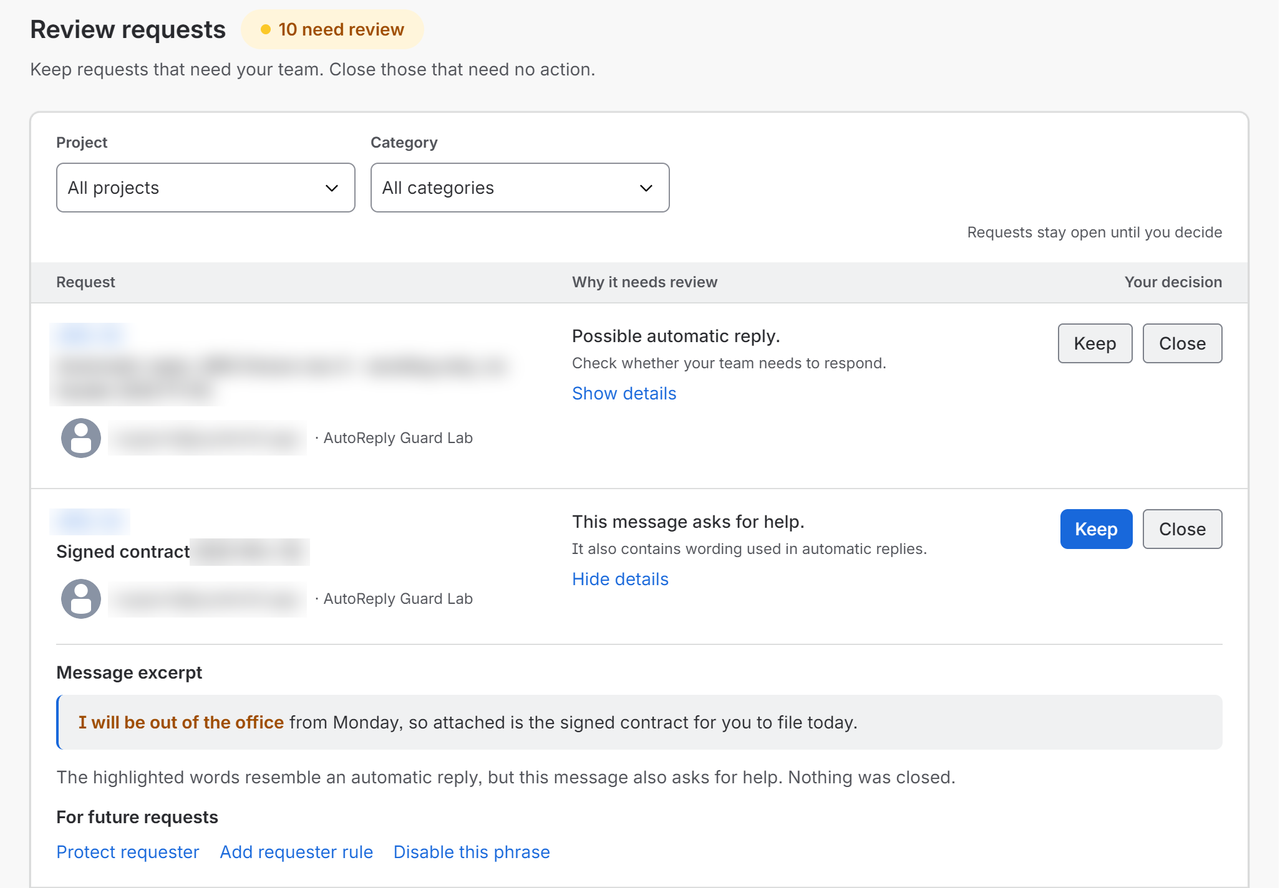
Start in Review only. See the wording behind each match and choose Keep or Close.
AutoReply Guard · Jira Service Management
Out-of-office messages and bounced emails turn into Jira requests. AutoReply Guard closes clear matches automatically, so your agents can spend their time on requests that need them.
Works with your existing JSM email channel. Start in Review only, then automate.
Give your service desk its time back
“I’m away.” “Delivery failed.” Each becomes another request to inspect and close. Set up AutoReply Guard to take that routine work out of your queue.
Start in Review only. See the wording behind each match and choose Keep or Close.
Choose the projects and message categories that can close automatically. Uncertain matches stay in Review.
Check each decision, download the history and reopen eligible requests when you need to.
Look past a familiar phrase
A customer may mention an absence while asking for help. AutoReply Guard shows you the matched wording and leaves uncertain cases for your team to review.
Keep requests from selected people out of automatic closing. Advanced also lets you protect requests shared with selected organisations.
AutoReply Guard works on requests after Jira creates them. There is no replacement mail service to set up.
Choose your edition
Review and automate across the projects you choose.
Reuse your setup across teams and look further back.
Both editions support several projects. Pricing follows your Jira site’s Marketplace user tier, not the number of emails. Check the listing for your site’s trial and current price.
Before you install
No. AutoReply Guard works with your existing Jira Service Management Cloud email channel. It handles requests after Jira creates them; Jira’s own notifications still follow your project settings.
Yes. Start in Review only, inspect the matched wording and choose Keep or Close. Turn on automatic closing for the projects and categories you choose when you are ready.
Eligible requests closed through AutoReply Guard can be reopened from History for up to 30 days, when the Jira workflow and the request’s current state allow it.
No. Standard supports several projects with separate settings. Advanced adds shared settings, organisation protection, import and export, and longer history and previews.
Try AutoReply Guard on your own queue. Review its matches, then choose what it can handle automatically.
Chasing approvals as well? Explore Approval Nudge.